
Host Your Next RSVP Event with a Free Event Management System
Organising a community gathering, cultural program, club event, workshop, sporting event or social meetup?
You may already be using an online form to collect names and phone numbers. That works for collecting responses -- but organising an event usually involves much more.
With Desify, you can create your event, collect registrations, ask attendees the questions you need, control who can register, send email notifications, manage your attendee list and check people in on the day -- all in one place.
Create Your RSVP Event in Three Easy Steps
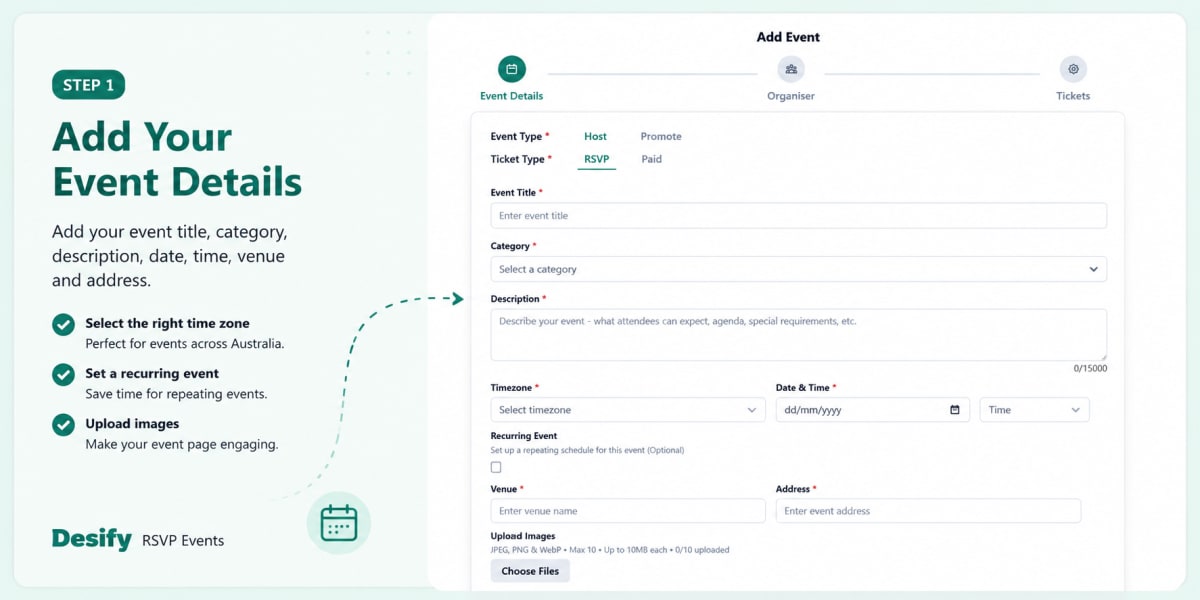
Step 1 -- Add Your Event Details
Add your event title, category, description, date, time, venue and address.
You can also select the time zone, which is helpful for events across Australia, set a recurring event if needed, and upload images to make your event page more engaging.
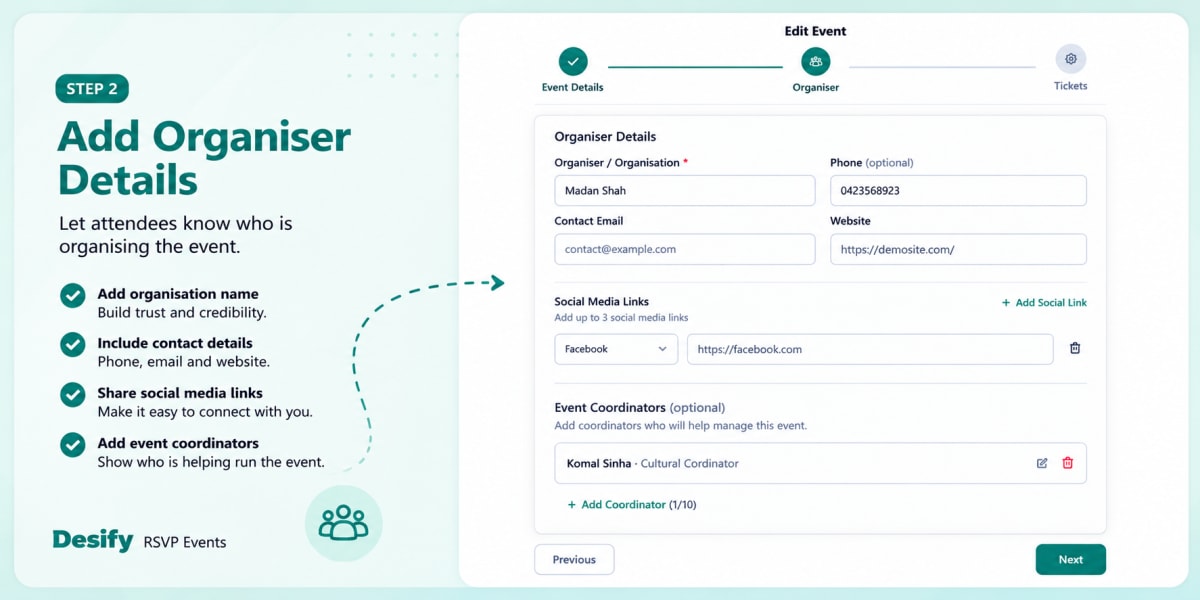
Step 2 -- Add Organiser Details
Add your organiser or organisation name, along with contact details such as phone, email and website.
You can also include social media links and add event coordinators who are helping organise or manage the event.
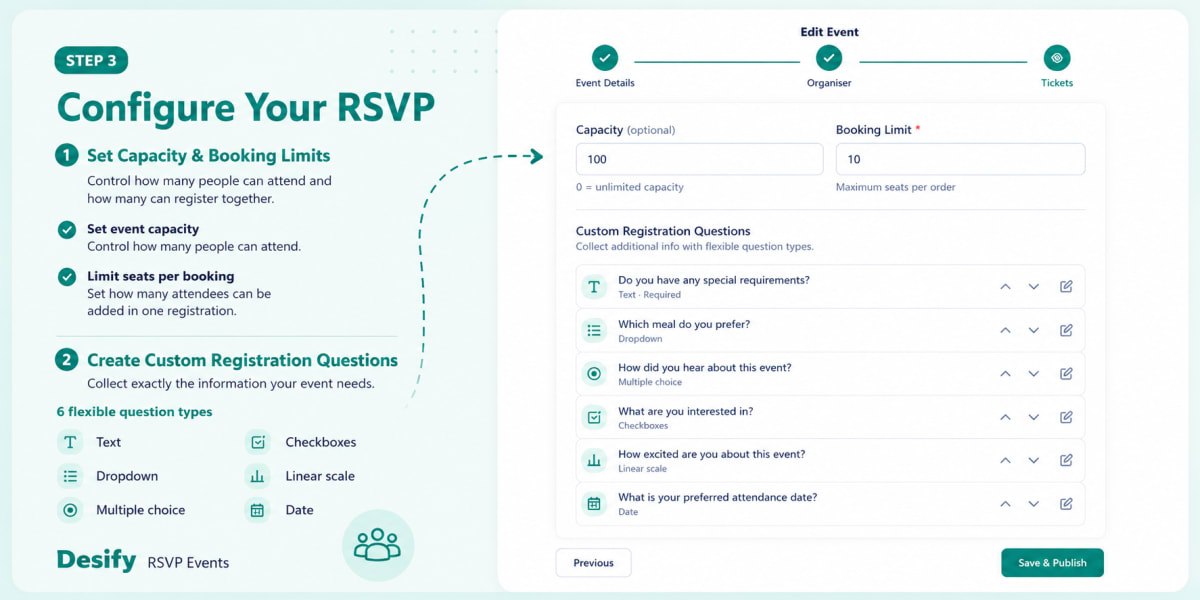
Step 3 -- Configure Your RSVP
Set Capacity and Booking Limits
Set your event capacity to control how many people can attend, and a booking limit to control how many attendees can be included in a single registration.
Create Custom Registration Questions
Every event needs different information from its attendees.
Desify gives organisers SIX flexible question types:
- Text -- attendee types the answer
- Dropdown -- pick one from a list
- Multiple choice -- pick one, round buttons
- Checkboxes -- pick many, tick all that apply
- Linear scale -- pick a number, 1 to 5
- Date -- pick a date, can include time
Use them to collect exactly what your event needs -- such as dietary requirements, meal preferences, interests, attendance dates, membership details or eligibility information.
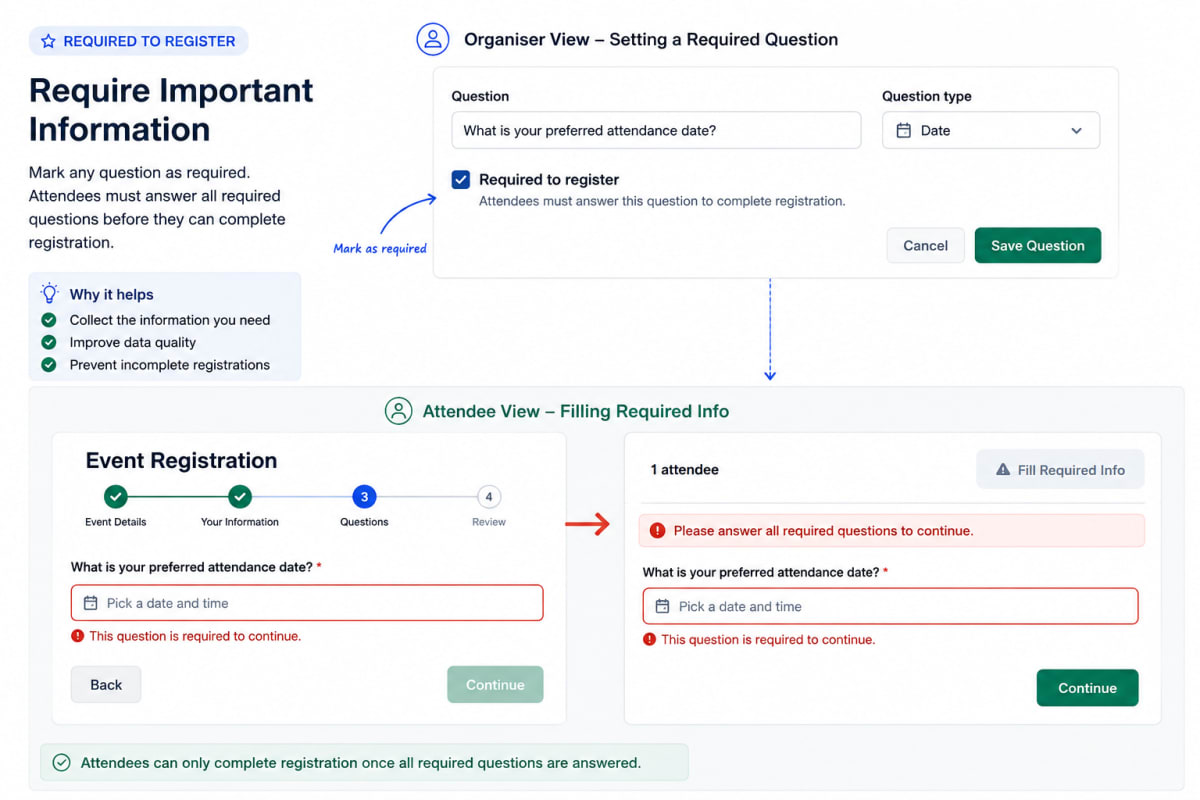
Require Important Information
Mark any question as Required to register. If an attendee skips it, Desify prompts them to Fill Required Info before they can continue.
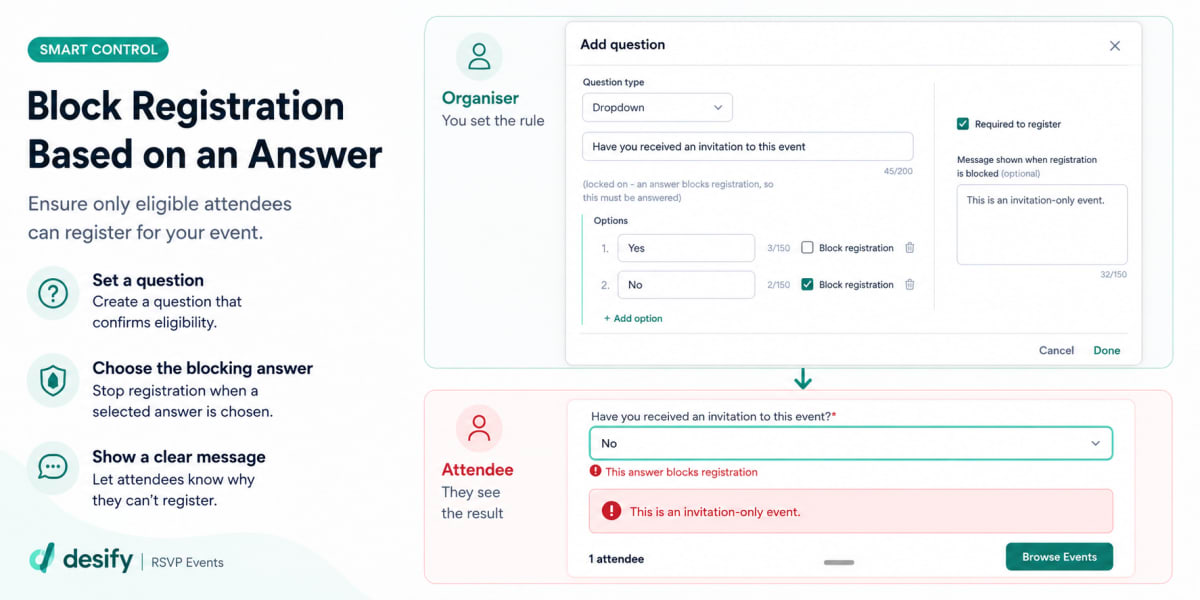
Block Registration Based on an Answer
You can also block registration when an attendee does not meet your event requirements.
For example, if you ask "Have you received an invitation to this event?" and the attendee selects No, Desify can stop the registration and display: "This is an invitation-only event."
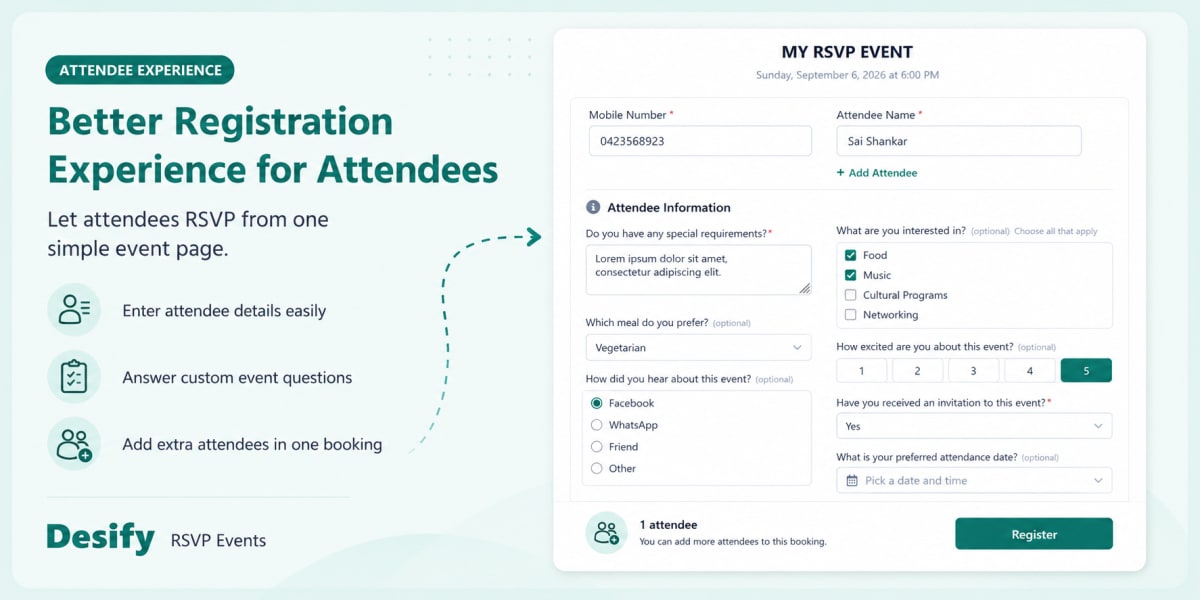
A Better Registration Experience for Attendees
Attendees can register directly from your event page either by signing in to their Desify account or continuing as a guest. They can enter their details, answer the questions you configured and, where your booking limit allows it, add additional attendees to the same registration.
Email notifications help keep attendees and organisers informed throughout the RSVP process.
Manage Check-In on Event Day
Your RSVP list becomes your event-day check-in list.
Search for attendees, see who has arrived and mark them as Checked In directly from the organiser dashboard.
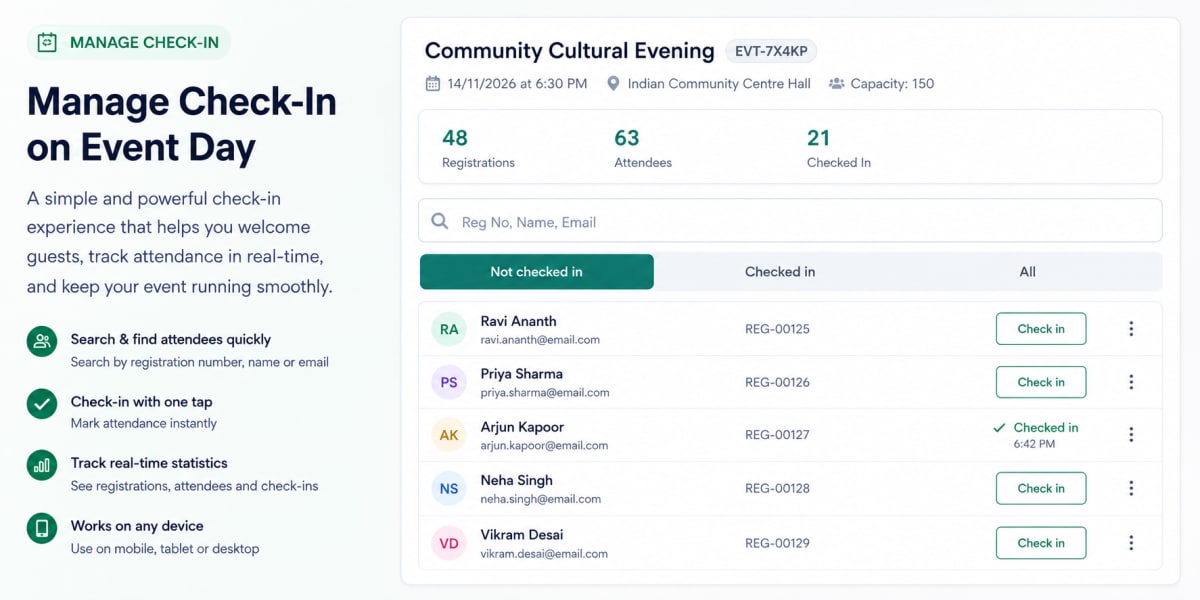
You can quickly view: Not Checked In -> Checked In -> All Attendees
No separate attendee sheet is needed at the door.
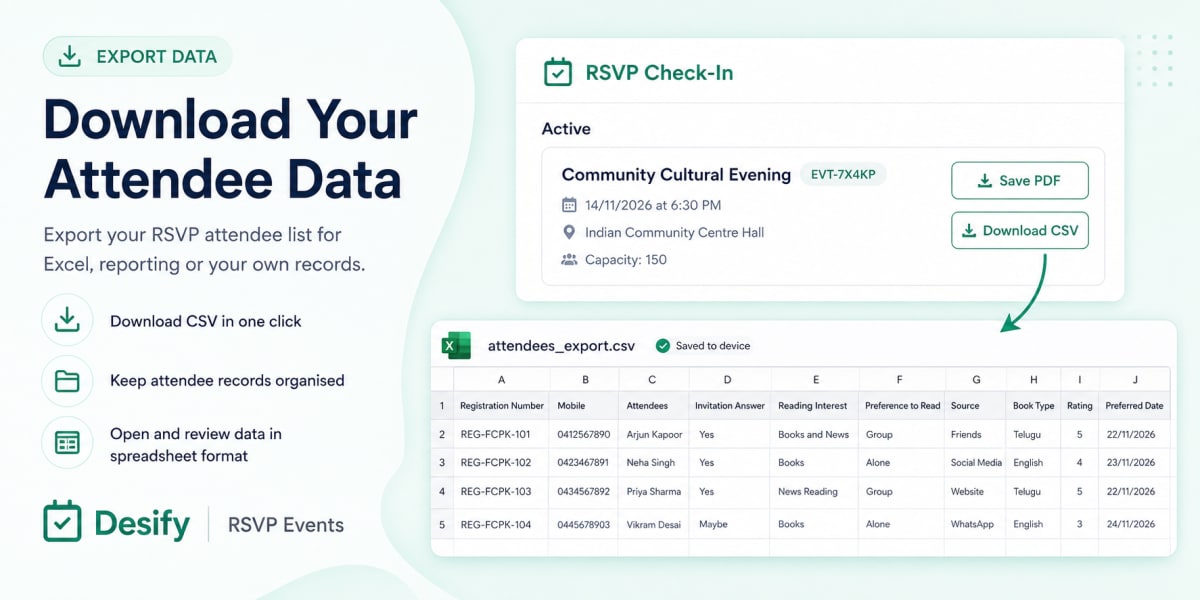
Download Your Attendee Data
Need your registration information outside Desify?
Download your attendee list as a CSV file for Excel, reporting or your own records.
Events You Can Create
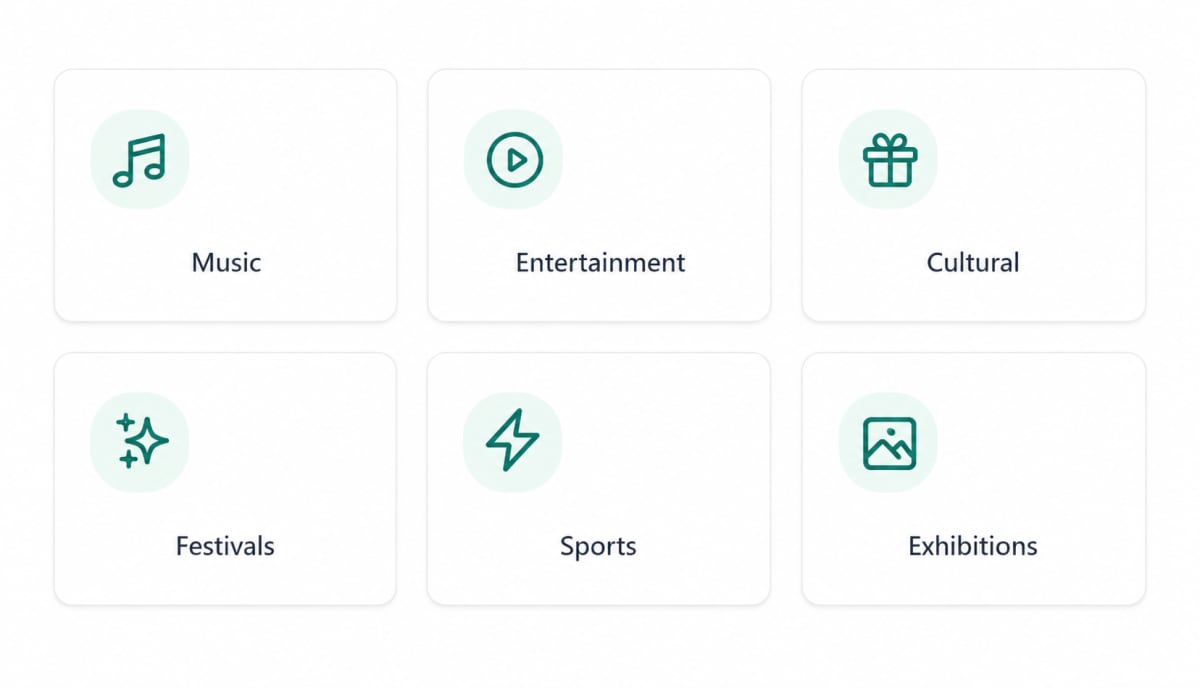
From cultural and devotional events to concerts, fundraisers, community gatherings, sports, expos and workshops, Desify gives you the flexibility to create the RSVP event that fits your audience.
Set up your first RSVP event today and see how easy it is.